Best Twitter Bookmark Managers for Search, Export, and Actually Reading
Most people who search for a Twitter bookmark manager are not really asking for “a manager.”
They are asking for one of these:
- “Find the thread I saved three months ago.”
- “Export my bookmarks before I lose them.”
- “Read saved posts without opening the feed.”
- “Sync this stuff into Notion, Sheets, or an AI assistant.”
- “Bulk delete the pile before it gets worse.”
Those are different jobs.
X already handles the save gesture. Its own help page describes Bookmarks as a way to keep posts in a timeline you can revisit later.1 The gap starts after that: search, export, reading, recovery, organization, and trust.
So the useful comparison is not “which tool is best overall?” It is: what job do you need the tool to do next?
The short answer
| If your real job is… | Start with… | Why |
|---|---|---|
| Actually reading saved X posts | Totem | It puts your Twitter bookmarks on every Chrome new tab, locally, before you reopen X. |
| A cloud dashboard with folders, tags, sharing, and multi-source bookmarks | Dewey | It is the broadest bookmark command center in this list. |
| Scheduled digests and Notion / Sheets workflows | TweetSmash | It turns bookmarks into reading digests and integrations. |
| Power search, AI classification, and Twitter-account data export | Twillot | It behaves more like a Twitter data console than a read-later app. |
| Free local tags plus Markdown / JSON export | XBookmark | It is small, local, open-source framed, and export-first. |
| Semantic search and AI-agent access | ContextBolt | It tags and clusters saved posts, then exposes them through search and MCP. |
| Bulk cleanup, filtering, export, and broader Twitter account management | Circleboom | It is built for managing and deleting bookmarks in bulk, not for reading them. |
| One file right now | A one-click exporter or userscript | You probably do not need a manager. You need an export. |
Disclosure: we make Totem. That does not make it the right answer for every row. If you need a phone app, cloud sync, team sharing, Notion automation, or AI chat with your whole library, pick something else.
What I tested for
A bookmark manager should be judged by the moment after saving.
The useful questions:
| Question | Why it matters |
|---|---|
| Where does the saved post appear? | A dashboard you forget to open is still a hidden inbox. |
| Can you search by memory, not just date? | Most people remember the idea, author, or phrase, not the day they saved it. |
| What can you export? | A URL list, a CSV, Markdown files, media, and a restorable backup are not the same thing. |
| Where does the data live? | Local, cloud, encrypted sync, server-side AI processing, and official API access are different trust models. |
| Does it help you read? | Organization is not the same as return. |
| What does it not try to be? | Honest scope is more useful than a bloated feature grid. |
For export depth, read this first: what actually gets exported when you export Twitter bookmarks. For search-before-export workflows, this is the companion: how to search your Twitter bookmarks before you export them.
1. Totem - best if your bookmarks are a reading queue
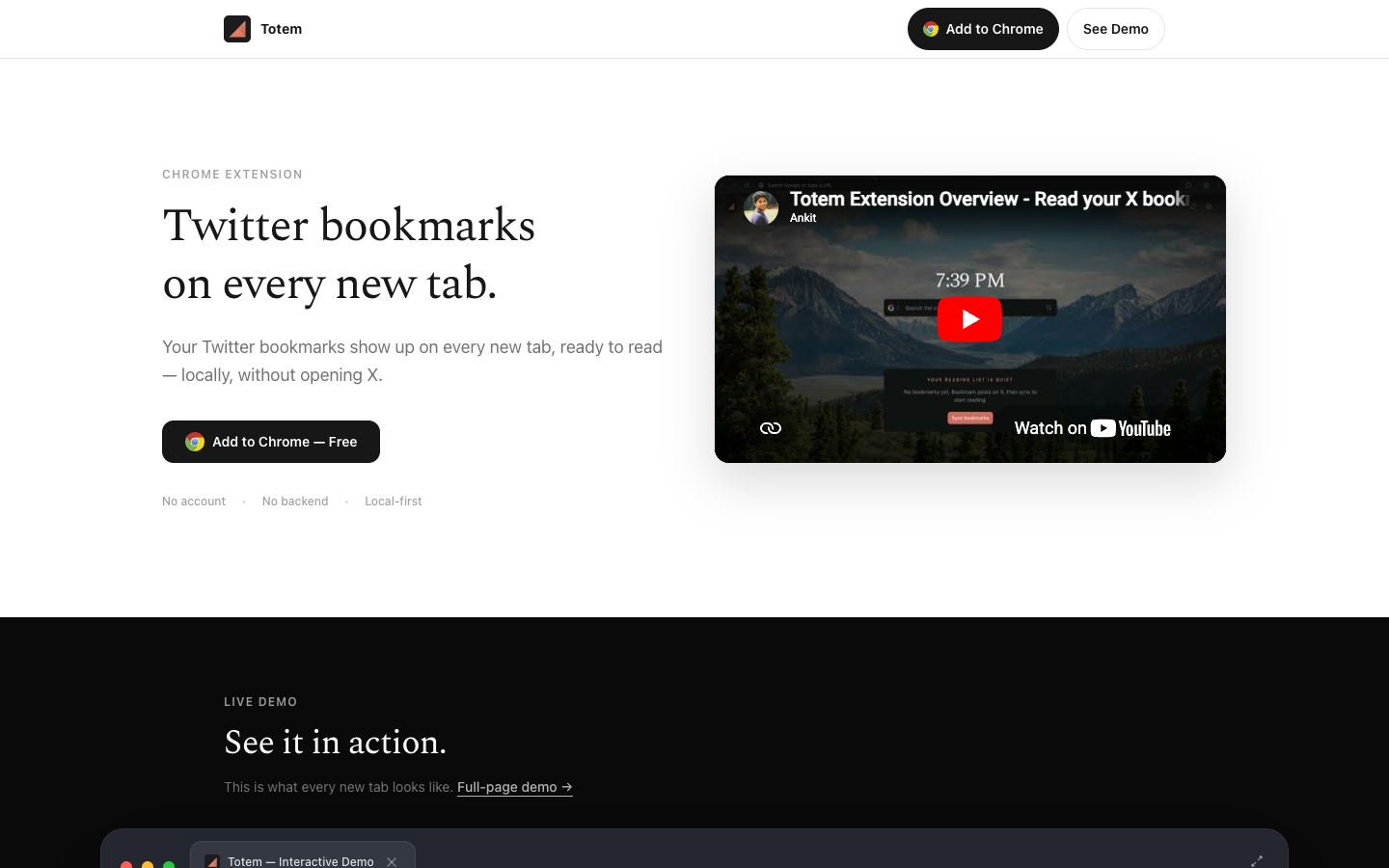
Totem is the narrowest tool here.
It only cares about X / Twitter bookmarks. It is a Chrome extension. It replaces your new tab. The point is not to build another dashboard. The point is to make saved posts visible on a surface you already open all day.
That matters if your real failure mode is:
I saved this because I wanted to read it, then I never saw it again.
Totem’s public listing frames it directly: saved Twitter / X bookmarks become a searchable read-later queue on every new tab, with a calm reader, search, export, offline cache, and local-first storage.2 The site is more explicit about the privacy and export shape: no account, no backend, local-first, and a ZIP export with CSV, Markdown, JSONL, highlights, notes, and progress.3
The repo backs that up. Totem search parses author filters, domain filters, dates, media filters, phrase search, OR, AND, and negation. The export path writes bookmarks.csv, readme.md, bookmarks/*.md, JSONL data shards, a manifest.json, checksums, reading progress, highlights, and queue state. The public export spec documents the same backup contract.4
Where Totem wins
- New-tab placement. Saved posts show up before you choose to open X.
- Local-first model. No Totem account and no Totem server-side library.
- Reading state. Unread, in-progress, read, highlights, notes, and reader state are part of the product.
- Export depth. CSV is there, but the better artifact is readable Markdown plus restorable local data.
Where Totem loses
- No mobile app.
- No cross-device Totem account.
- No shared collections, RSS feed, public folders, or team workflow.
- No Notion / Sheets auto-sync.
- No AI chat over your whole bookmark library.
- Chrome-only by design.
Choose Totem if X bookmarks are mostly things you meant to read. Do not choose it if your main job is cloud organization, team sharing, or AI retrieval across every platform.
2. Dewey - best cloud dashboard for serious organizers

Dewey is the strongest “central place” answer.
Its public site says it syncs, searches, and exports bookmarks across multiple accounts, with support surfaces for X, Bluesky, TikTok, Instagram, Reddit, LinkedIn, Threads, Substack, and web bookmarks.5 The Chrome Web Store listing says Dewey has 10,000 users, folders, nested folders, tags, search across bookmarks/tags/authors/notes, CSV/PDF/Google Sheets export, media export, public folder sharing, RSS feeds, and AI bulk tagging.6
That is a different product shape than Totem.
Dewey is for people who want a bookmark operating system. Folders, tags, notes, public sharing, RSS, Notion, Google Sheets, media export. If your saved posts are research material for projects, content, investing, writing, or a team workflow, Dewey is closer to the natural center.
Where Dewey wins
- Broad source coverage beyond X.
- Strong organization model: folders, tags, notes, sharing.
- Good export surface: CSV, searchable PDFs, Google Sheets, media.
- Integrations that make sense for research workflows: Notion, RSS, public folders.
Where Dewey loses
- It is another dashboard you have to remember to open.
- It requires a Dewey account, and the extension listing says non-subscribers get a free 7-day trial before choosing whether to subscribe.6
- It is not local-first in the Totem/XBookmark sense.
- It is stronger for organizing than for forcing saved reading back into your daily surface.
Choose Dewey if you want structure and a central library. Do not choose it just because you keep forgetting to read.
3. TweetSmash - best if you want bookmarks turned into digests
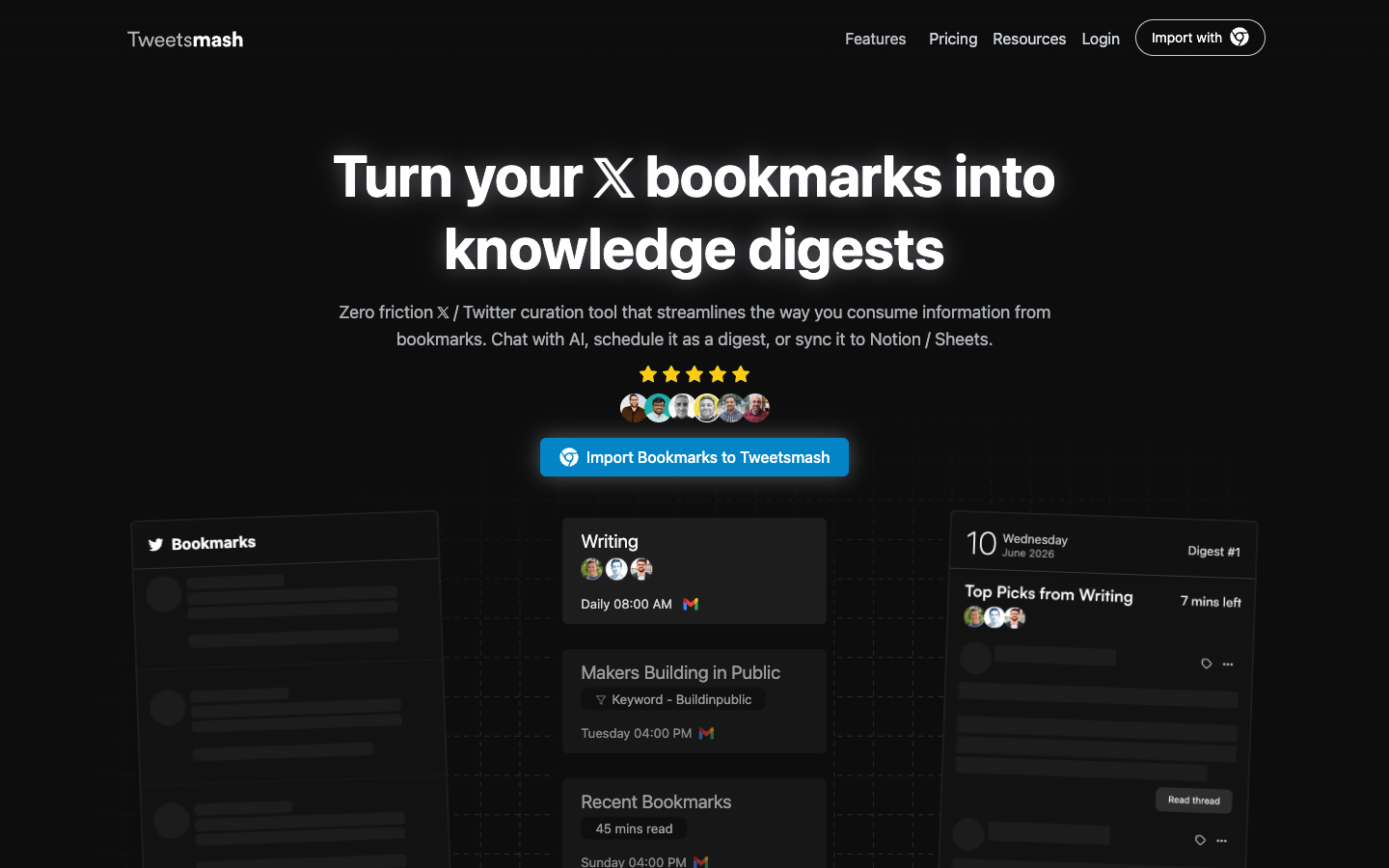
TweetSmash is for the person who does not want to browse a bookmark library at all.
Its homepage describes a Twitter curation workflow: chat with bookmarks, schedule digests, or sync bookmarks to Notion and Sheets.7 The Chrome Web Store listing adds one-click import, bookmark-folder sync, automatic organization, smart digests, AI interactions, enhanced search, Notion, Google Sheets, Zotero, thread/media/reply access, and periodic sync.8
That is a good answer when your saved posts are raw material for a newsletter, content system, writing habit, or weekly review.
The key difference: TweetSmash is not trying to make X bookmarks a quiet reading surface. It is trying to turn them into a workflow.
Where TweetSmash wins
- Scheduled reading: daily or weekly digests.
- Integrations: Notion, Sheets, Zotero.
- Useful for creators who save material by topic, author, or recipe.
- Better than a static archive if you actually read email digests.
Where TweetSmash loses
- It is cloud/workflow-oriented, not local-first.
- A digest is not a searchable backup by itself.
- If your problem is “I keep opening X and getting distracted,” an email workflow may help, but it does not change the browser surface.
- It is more creator-workflow than plain read-later.
Choose TweetSmash if you want saved posts to arrive as a scheduled digest or flow into other tools. Do not choose it if you mainly want local ownership and a quiet reader.
4. Twillot - best power-user console for Twitter bookmark data
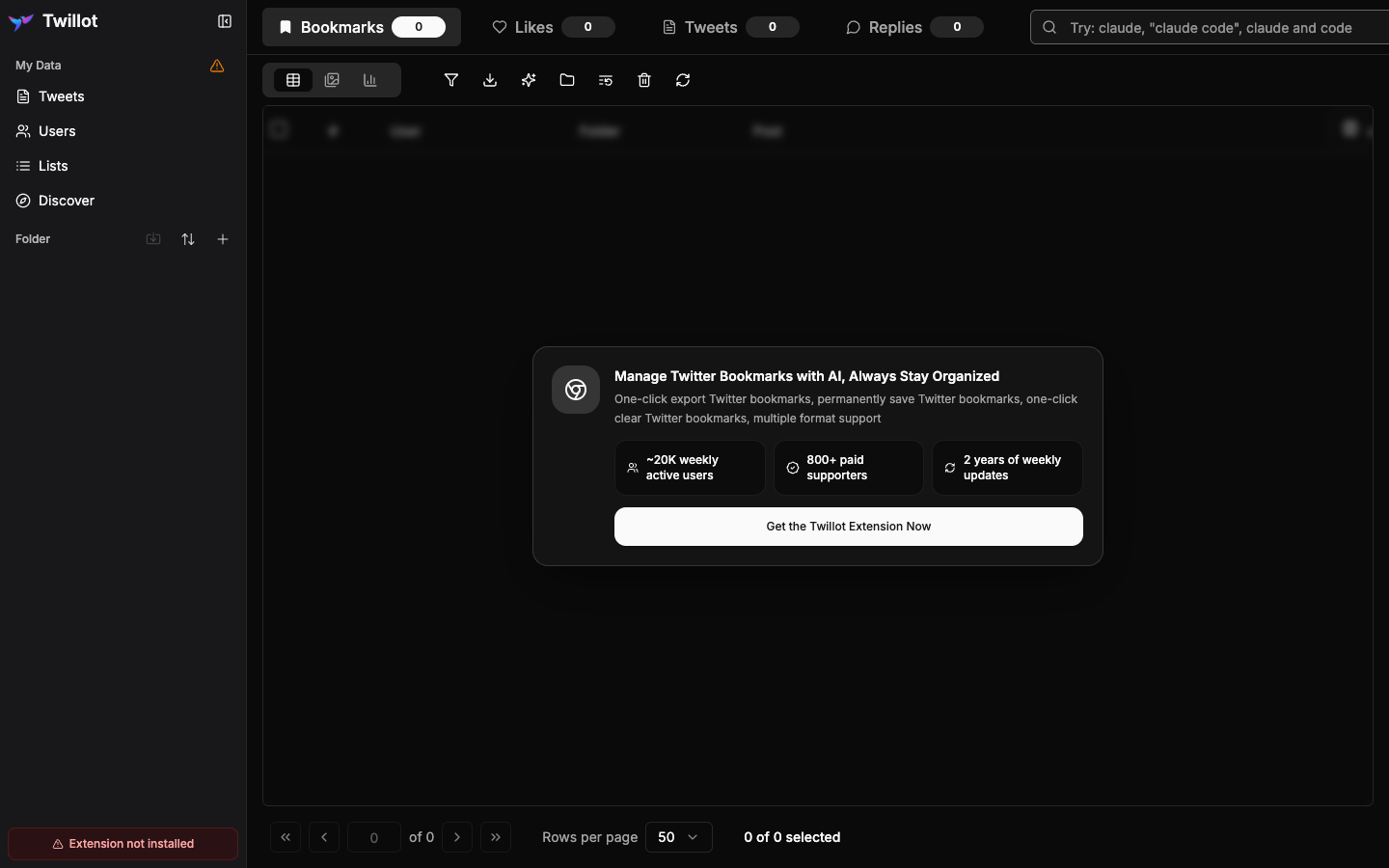
Twillot is the most “data console” shaped option in this list.
Its public page shows tabs for bookmarks, likes, tweets, replies, folders, media files, engagement counts, creation dates, backup/restore, and a search box. It claims one-click bookmark export, permanent bookmark saving, one-click clear, multiple format support, about 20,000 weekly active users, 800+ paid supporters, and two years of weekly updates.9
The Chrome Web Store listing says the Twillot bookmark-search extension supports search, organization, export, AI-powered categorization, no Twitter Premium requirement, bookmark deletion, CSV/JSON export, thread and engagement metrics, media downloads, and omnibox search.10
This is the right shape for someone who wants to manage Twitter data deeply, not just read saved posts.
One caveat: Twillot’s public GitHub repo was archived on July 31, 2025, and its last code push was January 21, 2025 — so it sat dormant for months before going read-only.11 That does not mean the Chrome extension or product site is dead; the extension listing can still receive updates separately from the repo. But it is a reminder to judge the live extension listing, export path, and support surface, not the repo, before building a long-term archive around it.
Where Twillot wins
- Power search and export.
- AI categorization.
- Broad Twitter-account scope: bookmarks, likes, tweets, media, replies.
- Practical utilities like clear/delete and media export.
Where Twillot loses
- It is a lot of product if your only job is “read the things I saved.”
- The public page is app-like and even shows “Extension not installed” when viewed cold, which is honest but less beginner-friendly.
- It is not positioned around local-first ownership in the same way Totem or XBookmark are.
- It can turn into another data dashboard.
Choose Twillot if you want Twitter bookmark operations, filtering, export, and account-data management. Do not choose it if you want the least possible surface between saving and reading.
5. ContextBolt - best if bookmarks are context for AI
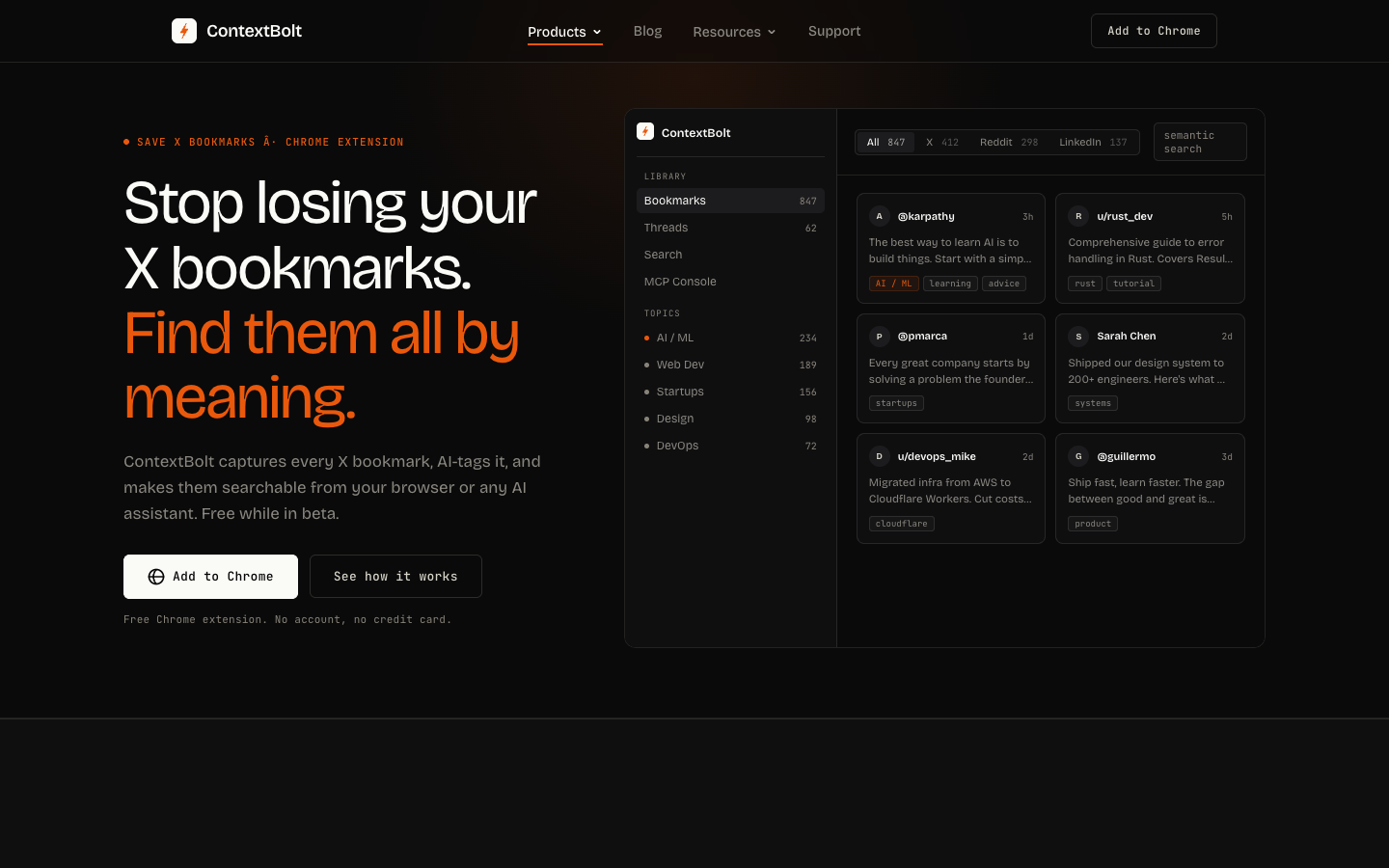
ContextBolt is the clearest new AI-native entrant.
Its public page positions the product as AI search for X, Reddit, and LinkedIn bookmarks. The free Basic tier includes 150 bookmarks, AI tagging, topic clustering, and semantic search. Pro adds unlimited bookmarks, a personal MCP endpoint, and encrypted cloud sync.12
That MCP piece is the differentiator. If you live in Claude, Cursor, Windsurf, or another MCP-compatible client, a bookmark library becomes context your assistant can query.
This is not a normal bookmark manager claim. It is a bet that saved posts are fuel for future AI work.
Where ContextBolt wins
- Semantic search by meaning, not just exact phrase.
- Cross-platform capture: X, Reddit, LinkedIn.
- AI tags and topic clusters.
- MCP endpoint for agent workflows.
Where ContextBolt loses
- The same public FAQ says tagging and embeddings run on ContextBolt servers.12
- It is not local-only in the strict sense, even if data stays local by default and cloud sync is opt-in.
- The free tier is capped at 150 bookmarks.
- It is not a read-later surface. It is recall and AI context.
Choose ContextBolt if your saved posts are mostly research context for AI-assisted work. Do not choose it if “nothing leaves my browser” is the hard requirement.
6. XBookmark - best small local/free option
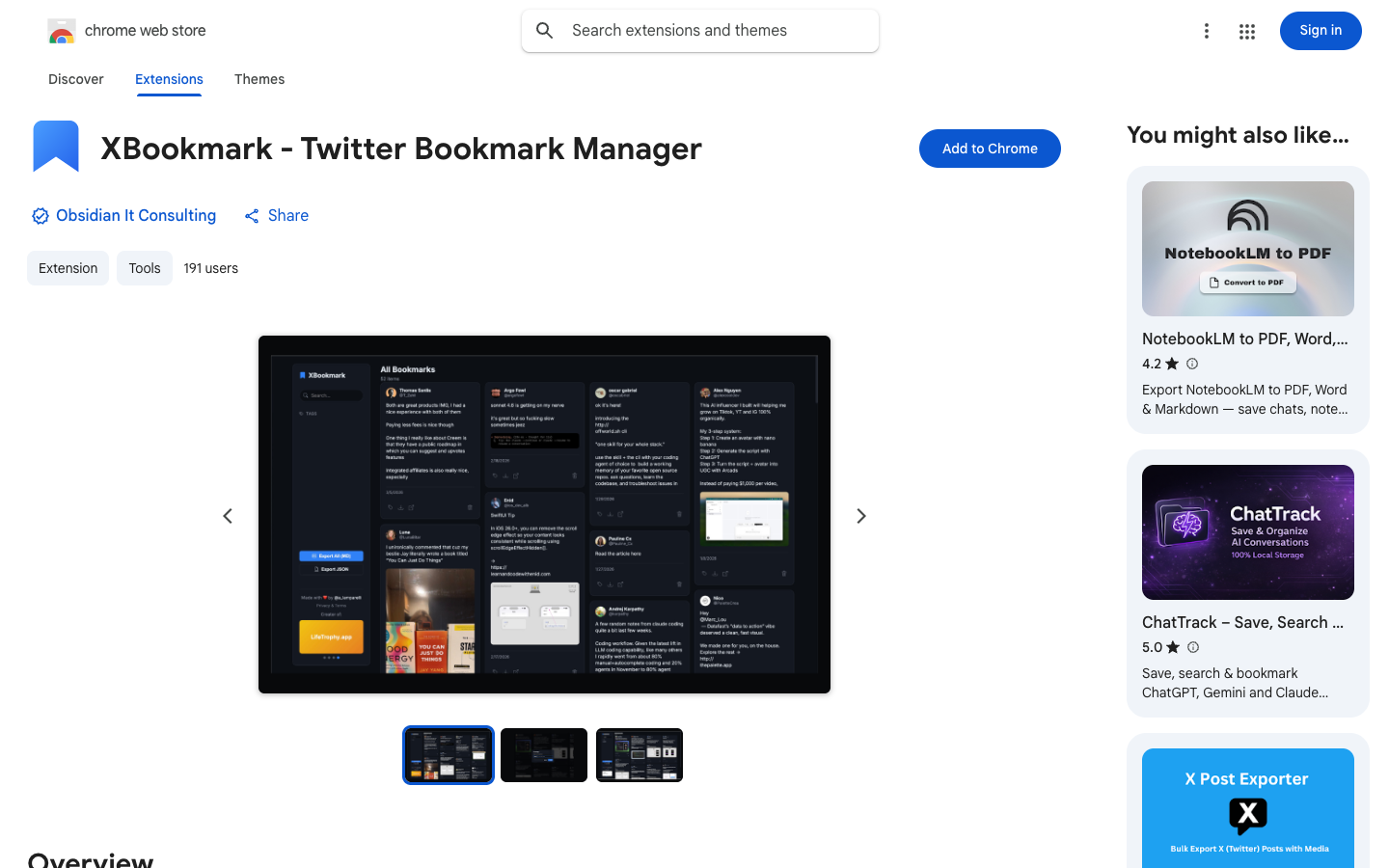
XBookmark is the interesting small entrant.
Its Chrome Web Store listing says it saves and exports X / Twitter bookmarks locally, supports tags, Markdown and JSON export, has no account linking, no cloud, no tracking, no analytics, no server calls, and is 100% free.13
That is a clean promise.
It also has the signs of a young tool: 191 users at the time of capture, no ratings, version 0.9.0, and a March 19, 2026 update date on the listing.13 That is not a reason to dismiss it. It is a reason to treat it like a lean local tool, not a mature platform.
Where XBookmark wins
- Local-first posture.
- Free, no subscriptions, no premium tier.
- Tags, search, Markdown, JSON.
- Good fit for Obsidian/Markdown people who want files and tags.
Where XBookmark loses
- Smaller install base and no review history yet.
- The listing says it saves bookmarks locally on your Mac; if you live across devices, check fit before committing.
- It is a dashboard/export tool, not a new-tab reading queue.
- It does not have Dewey/TweetSmash/ContextBolt’s broader integrations.
Choose XBookmark if you want a free local bookmark dashboard with Markdown export. Do not choose it if you need a mature cloud workflow or cross-device sync.
7. Circleboom - best for bulk cleanup and broader Twitter management
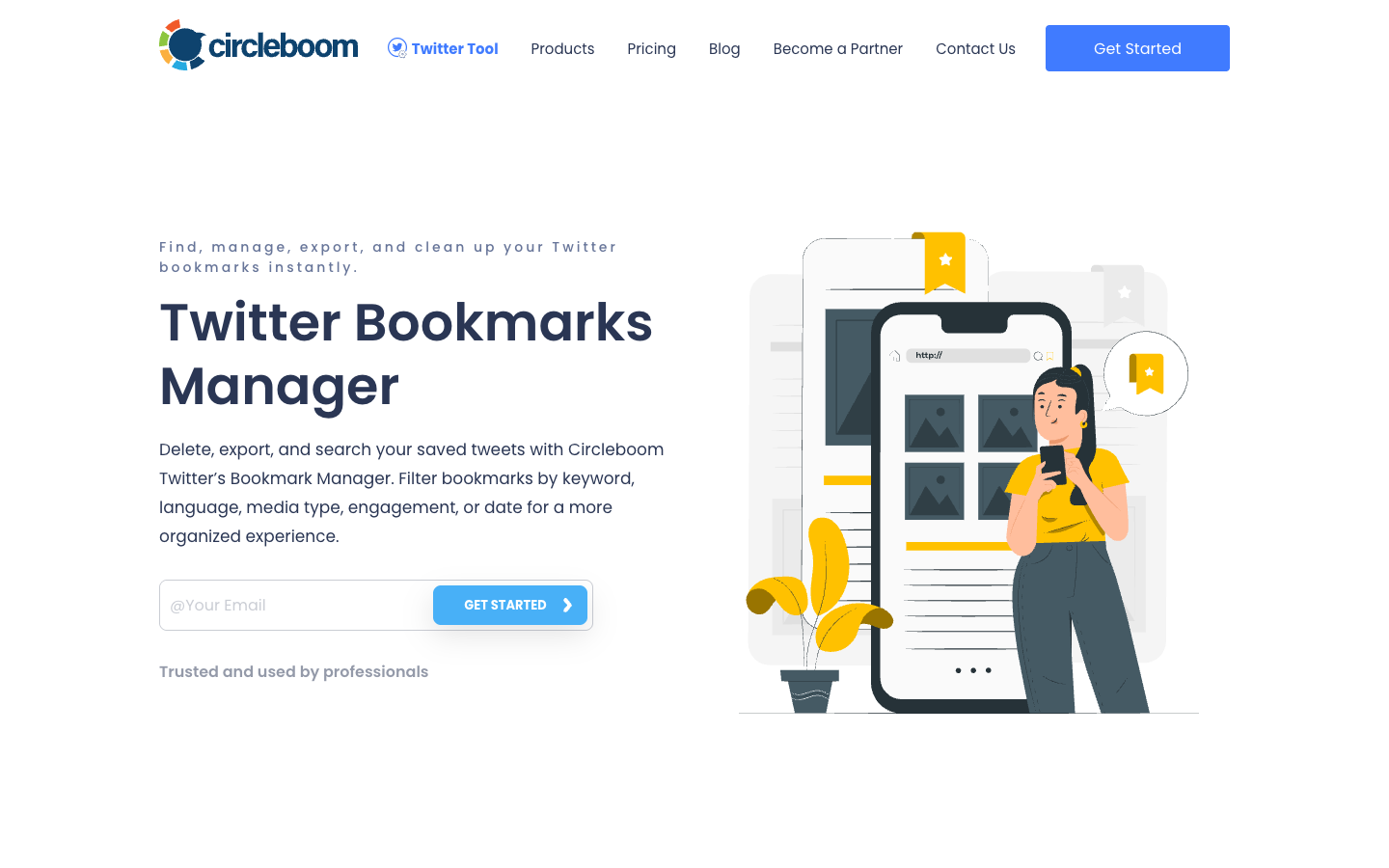
Circleboom is not a calm read-later tool.
It is a Twitter management suite with a bookmark manager inside it. Its public bookmark-manager page says it can find, manage, export, and clean up Twitter bookmarks; filter by keyword, language, media type, engagement, or date; bulk delete; export to CSV or Excel; and operate through Twitter’s official API.14
That makes it the right pick for cleanup.
If the job is “I have thousands of saved posts and want to delete or export a filtered set,” Circleboom is closer than a reading app. If the job is “help me read what I saved,” it is the wrong shape.
Where Circleboom wins
- Bulk delete and cleanup.
- Filtering by engagement, date, language, media, and keyword.
- Broader account-management context.
- Public claim of Official X Enterprise Developer status.14
Where Circleboom loses
- It is not designed around reading.
- It is heavier than a bookmark-only tool.
- It is a service you log into, not a local browser library.
- The marketing surface is broad because bookmarks are one feature in a larger Twitter tool.
Choose Circleboom if destructive cleanup or filtered export is the job. Do not choose it if your saved posts are mostly a private reading queue.
What about native X Bookmarks?
Use native X Bookmarks if your library is small and recent.
X already gives you:
- private saved posts
- a Bookmarks timeline
- remove and remove-all actions in the bookmark surface, depending on your current client
That may be enough.
The native feature gets weak when:
- you remember the idea but not the date
- you save threads and never return
- you need export
- you need tags/folders without depending on X Premium
- you want a copy outside X
- you want to search or read without reopening the feed
If you are under 100 recent bookmarks and mostly save memes, do not install anything yet.
What about one-click exporters and userscripts?
Sometimes a manager is the wrong answer.
If the job is “download a file right now,” use an exporter or userscript. A manager becomes useful when the file is not enough: you need search, reading state, recurring sync, restore, or a place where saved material actually returns to you.
For the export-only path, start with how to export your X / Twitter bookmarks. It compares the official archive, userscripts, one-click browser exporters, bookmark managers, and Totem’s local ZIP.
New tools worth watching
This category is moving faster than the old SERP suggests. A few newer tools did not make the tested picks above, but they are worth watching if your priority is local export, open-source control, or fresh browser support.
- XArchive is an active Chrome Web Store entrant updated May 28, 2026. Its listing focuses on export, tags, delete, search, local/offline storage, no sign-up, and AI tagging on paid plans.15 The CWS listing and the open-source sytelus/xarchive exporter are separate artifacts; the repo’s whole pitch is exporting your entire X bookmark collection — unlimited bookmarks, with X Premium folder assignments included, zero dependencies.16 That “unlimited, with folder assignments” framing is the tell: people reaching for these tools distrust capped or partial exports.
- sarisen/x-bookmark-manager is a small open-source Chrome extension that appeared in a June 2026 Show HN thread.17 Its README describes a tool that “turns your X (Twitter) bookmarks into a modern masonry view. Search, filter by author, export to JSON, and auto-load all pages.”18 Worth flagging: the repo was created June 5, 2026, and is not on the Chrome Web Store yet — you install it as an unpacked extension from GitHub. Treat it as young accordingly.
- TweetStorm.ai’s bookmark manager is newer than the older TweetSmash/Dewey/Twillot comparison set. Its product page emphasizes nested folders, smart folders, tags, full-text search, and Chrome/Firefox extensions, while the Firefox add-on version history shows a May 14, 2026 release.1920
- Keep.md is not a normal Twitter bookmark manager. It is closer to a markdown reading system: X bookmark sync and X article following require a paid plan, and it does not promise a full historical import.21 Watch it if your real destination is markdown-first reading, not bookmark cleanup.
The pattern is useful: more new entrants are saying “local,” “Markdown,” “JSON,” “no cloud,” “AI tagging,” “semantic search,” or “MCP.” That is the next version of this SERP. The old comparison was folders versus tags. The new comparison is ownership, recoverability, and whether saved posts can become context for reading or agents.
The timing is not a coincidence. While these niche, ownership-focused X tools appear, the generic read-it-later incumbents are contracting: Mozilla shut down Pocket in 2025 — saving ended July 8, 2025, and user data was deleted later that year.22 When an 18-year-old read-later service can vanish, “can I get my saved stuff out, and where does it live?” stops being a power-user concern and becomes the whole question. The engagement on these new X tools is still small — single-digit Show HN points, a couple dozen GitHub stars each — so read this as emerging, fragmented experimentation, not a movement.
The comparison table
| Tool | Data shape | Strongest job | Account / cloud model | Export posture | Main loss |
|---|---|---|---|---|---|
| Totem | Local Chrome extension, X bookmarks only | Reading saved posts on every new tab | No Totem account, no Totem server | CSV, Markdown, JSONL, importable ZIP | No mobile/cloud sync or AI chat |
| Dewey | Cloud dashboard across social/web bookmarks | Organize, tag, share, export | Dewey account | CSV, searchable PDF, Sheets, media | Another dashboard to remember |
| TweetSmash | Cloud workflow and digest system | Email digests, Notion/Sheets/Zotero | TweetSmash account | Integration/export workflow | Not local-first or new-tab reading |
| Twillot | Twitter data console | Search, classify, export, clear | Extension/app model | Multi-format, media, CSV/JSON claims | Heavy if you just want to read |
| ContextBolt | AI semantic bookmark layer | AI search and MCP context | Local by default, server AI processing, optional cloud sync | AI/search layer more than export-first | Bookmark text goes to servers for AI processing |
| XBookmark | Local/free Chrome extension | Tags, local search, Markdown/JSON | No cloud/account claim | Markdown and JSON | Small/new install base |
| Circleboom | Twitter management suite | Bulk cleanup, filter, delete, export | Service/login/API model | CSV/Excel export | Not a read-later product |
The split is simple:
- If bookmarks are a reading queue, choose Totem.
- If bookmarks are a research database, choose Dewey.
- If bookmarks are a digest source, choose TweetSmash.
- If bookmarks are Twitter data to operate on, choose Twillot or Circleboom.
- If bookmarks are AI context, choose ContextBolt.
- If bookmarks are local files, choose XBookmark or an exporter.
The honest Totem pitch
Totem exists for one narrow sentence:
I save X posts to read later, then forget them.
If that is your problem, the right fix is not more folders. It is more surface area. Your saved posts should appear somewhere you already go.
That is why Totem lives on the Chrome new tab.
If you want that shape, add Totem to Chrome. If you want cloud organization, digests, AI recall, or bulk account cleanup, use one of the tools above.
Sources
-
X Help Center, “About Bookmarks”. ↩
-
Chrome Web Store, “Totem - Read, Search & Export Twitter Bookmarks”. ↩
-
Totem, Export Format v1. ↩
-
TweetSmash, “Turn your bookmarks into knowledge digests”. ↩
-
Chrome Web Store, “TweetsMash”. ↩
-
Twillot, “Export Twitter Bookmarks with One Click”. ↩
-
Chrome Web Store, “Twitter Bookmarks Search by Twillot”. ↩
-
GitHub, twillot-app/twillot, archived by the owner on July 31, 2025. ↩
-
ContextBolt, “ContextBolt Bookmarks”. ↩ ↩2
-
Chrome Web Store, “XBookmark - Twitter Bookmark Manager”. ↩ ↩2
-
Circleboom, “Twitter Bookmarks Manager”. ↩ ↩2
-
Chrome Web Store, “X Bookmark Manager & Exporter (Twitter)”. ↩
-
GitHub, sytelus/xarchive. ↩
-
Hacker News, “Show HN: Open-source X Bookmark Manager”. ↩
-
GitHub, sarisen/x-bookmark-manager. ↩
-
TweetStorm.ai, “X Bookmark Manager - Organise Twitter Bookmarks”. ↩
-
Firefox Add-ons, “X (Twitter) Bookmark Manager - TweetStorm.ai version history”. ↩
-
Keep.md, “Save X (Twitter) bookmarks and threads”. ↩
-
Mozilla Support, “The future of Pocket” — announced May 22, 2025; saving ended July 8, 2025; data deleted later in 2025. Accessed June 19, 2026. ↩