Best Chrome Bookmark Managers in 2026 — Sorted by What You Actually Save
There is no single “best Chrome bookmark manager.” There’s the manager that fits the kind of stuff you save and the place you want it to live. Most listicles answer the wrong question. They rank tools 1–7 and pretend filing is the problem. For most people, filing isn’t the problem; the problem is that you save things and never look at them again.
The four-line answer:
- Mixed pile of articles, links, screenshots — want sync across devices → Raindrop.io.
- You save tabs in clusters because you’re researching → Toby.
- You’re a power-user filer who actually opens your bookmarks → Bookmanize.
- Under ~200 bookmarks total → Chrome’s native bookmark manager. You don’t need anything else.
- Mostly Twitter/X bookmarks → keep reading; this is the branch the SERP doesn’t cover.
The rest of this post is the why, an honest comparison table, and the one question every listicle in this space avoids: if you never re-open the things you save, the manager isn’t your problem.
The behavioral fact every bookmark listicle skips
Networkworld’s 2016 listicle still ranks #2 for “best bookmark manager chrome.” It’s nine years old. The fact that it hasn’t been displaced is itself the story: the SERP has been frozen for a decade because most readers don’t actually need a better bookmark manager. They need to open the one they have.
Chrome’s own Reading List backs this up indirectly. It is built into Chrome, but the current path is still a menu and side-panel path: Bookmarks and lists -> Reading list -> Show reading list. There is a 1,000/mo search cluster around reading list chrome whose cached SERP includes “Reading list tab disappeared.” People search for the feature they already have. I wrote the fuller version here: Chrome Reading List: where it is, how it works, and why nobody uses it.
There’s a sharper reason to be wary of a tool as your permanent home for saves. The read-it-later category itself collapsed over the last 18 months. Pocket — the default answer for a decade — shut down July 8, 2025, with all user data queued for permanent deletion by November 12, 2025. Omnivore, the open-source favorite, went offline in November 2024 after ElevenLabs acquihired its founders. So “where does my saved pile even live now” is part of the problem, not just whether you re-open it.
So before picking a tool: the manager that helps is the one that puts what you saved in front of you. Filing tools (Raindrop, Bookmanize) help if you’re someone who actually re-opens your bookmarks to look something up. Surfacing tools (Toby’s session restore, our own thing further down) help if you’re not.
The new-tab version of that choice is here: what to put on your Chrome new tab page. Blank, launcher, dashboard, and reading queue are different answers.
That distinction is the real split. Pick accordingly.
The split — start here
| What you save the most | Start with | Why |
|---|---|---|
| Articles + links from many sources | Raindrop.io | Free unlimited, syncs everywhere, visual cards make stuff scannable later |
| Tabs in clusters (project research) | Toby | Saves groups of tabs as sessions you reopen as a unit |
| You search bookmarks daily | Bookmanize | Tag-and-search-first, fastest filer in the Web Store |
| Under ~200 bookmarks total | Native Chrome | The folder tree is fine. Don’t add tools you don’t need |
| X/Twitter posts and threads | Totem (we make this) | The native X bookmark tab is buried four taps deep; we move it onto your new tab |
If the last row is the one that sounds like your browser, add Totem to Chrome and let your Twitter bookmarks show up on every new tab instead of another dashboard you have to remember to open.
Now the picks, in detail.
1. Raindrop.io — best for mixed-pile savers who want sync
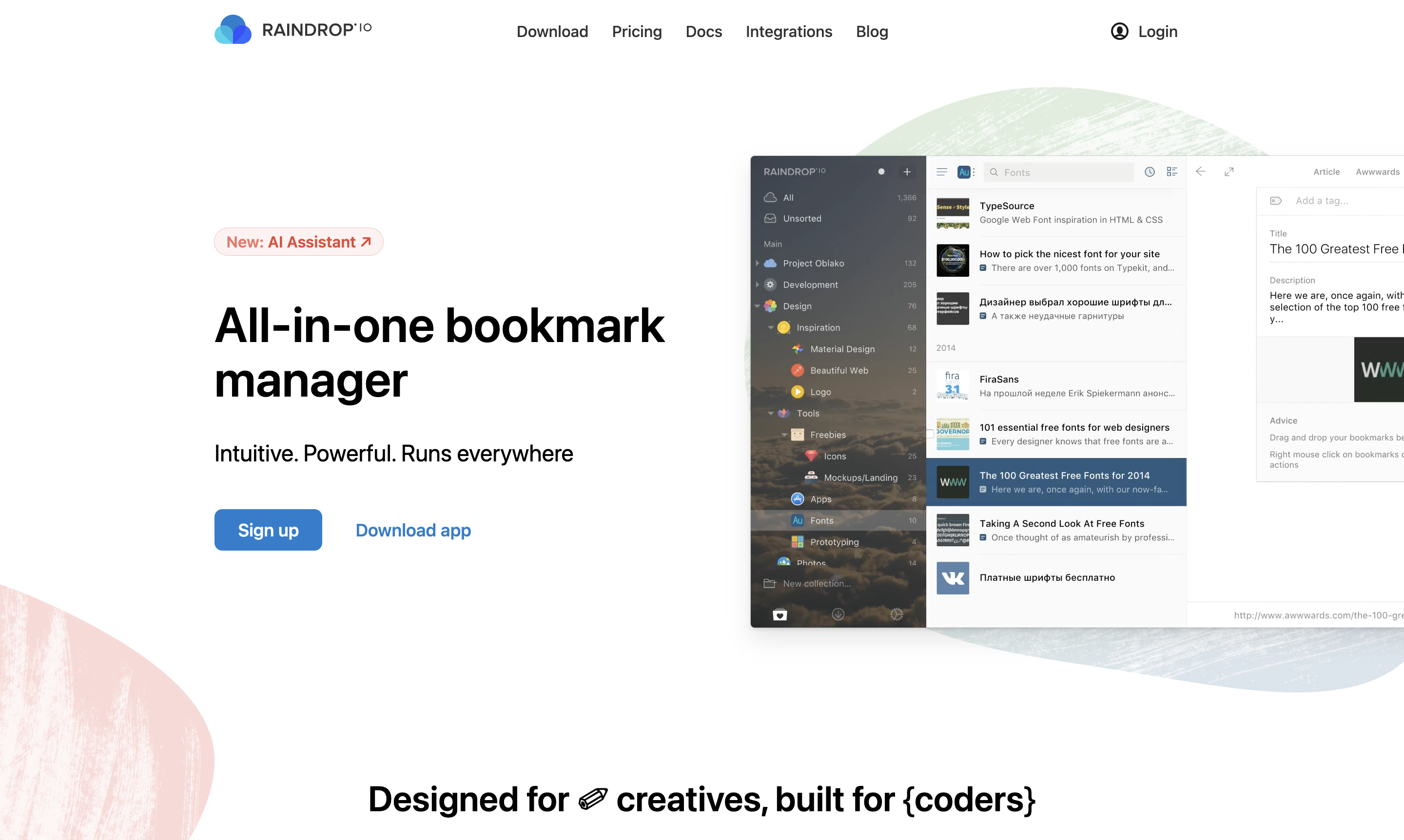
Raindrop.io is the only Chrome bookmark manager most people will ever need. It handles articles, links, images, videos, PDFs. It syncs across Chrome, Firefox, Safari, iOS, Android, and macOS. The free tier is unusually generous — unlimited bookmarks, unlimited collections, browser + mobile apps included.
What it does well
- Unlimited free bookmarks with full-text search of pages you saved
- Visual card layout — your bookmarks look like a Pinterest board, which is genuinely better for re-finding stuff
- Cross-device sync that actually works (Chrome ↔ iOS especially)
- Tags + nested collections for people who file
- Browser extension captures highlights, not just URLs
Where it falls short
- Power features (permanent copies, full-text search of content, AI suggestions, nested collections beyond one level) are Pro-only — $28/year
- The visual UI starts to feel heavy past ~5,000 bookmarks
- Doesn’t do anything special with X/Twitter bookmarks — it stores the URL but the tweet content isn’t captured
Pricing: Free forever for the basics — unlimited bookmarks, collections, and devices, no time limit. Pro is $28/year billed annually (some resellers list ~$38), one of the cheapest paid tiers in the category, and it’s what unlocks permanent copies, full-text search of page content, and AI-suggested tags.
When this is the right pick: You save a mixed pile — some articles, some Stack Overflow links, some YouTube videos, the odd image. You want it on your phone too. You’ll come back and look stuff up later, occasionally. Raindrop is the default answer here and has been for five years.
2. Toby — best for tab-shaped saving
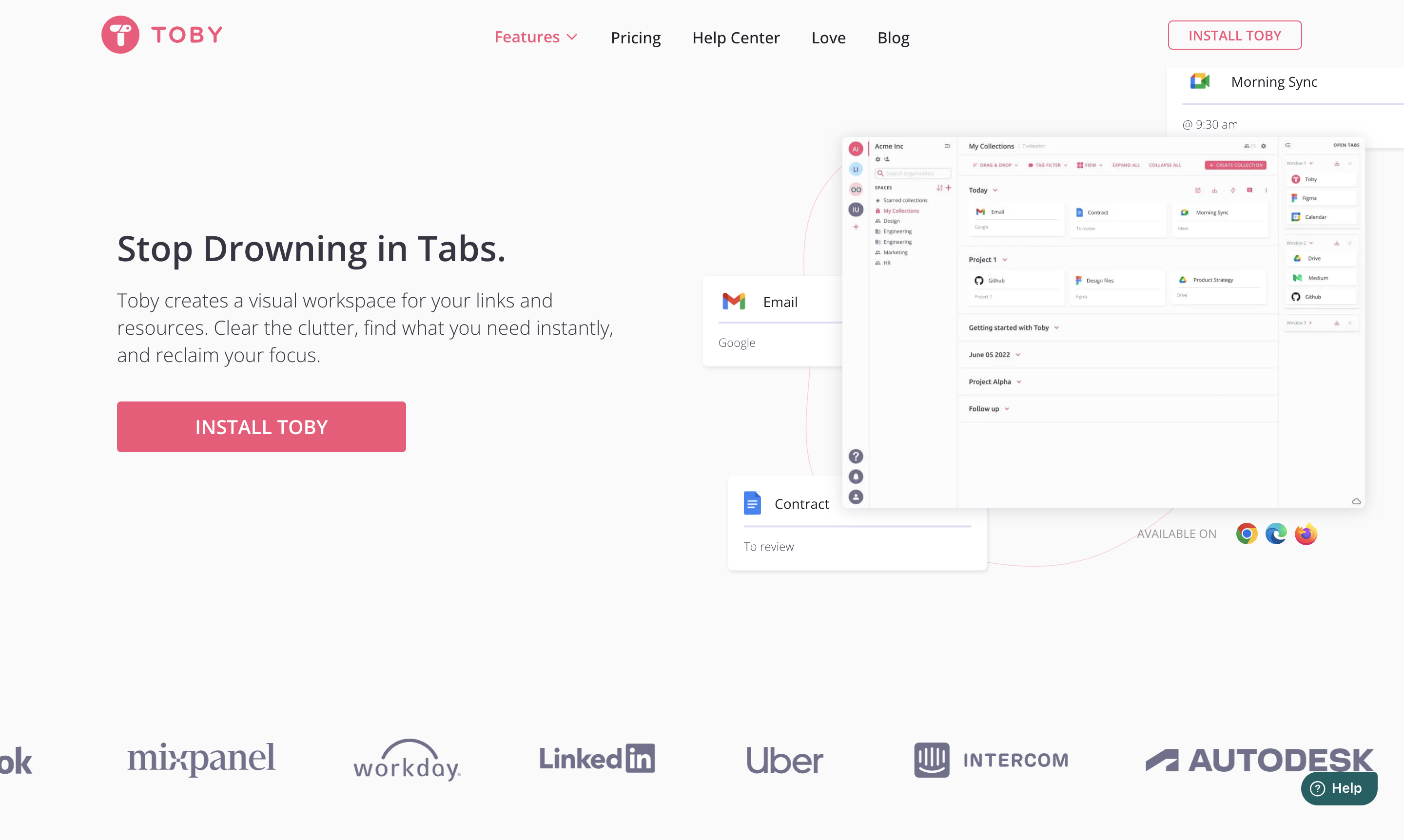
Toby for Chrome is a different kind of bookmark manager: it saves groups of tabs, not individual links. If you’re researching a topic with twelve tabs open and want to come back to all twelve later in the same arrangement, Toby is built for that exact motion.
What it does well
- One click saves all open tabs into a named “collection”
- Replaces your new tab with the collection picker, so reopening is one click
- Drag-and-drop between collections is fast and tactile
- Free tier holds up to 60 tabs across collections — enough for most people
Where it falls short
- It doesn’t really compete on “bookmark manager” duties — search is shallow, no tags, no full-text
- Past 60 tabs you need the paid tier ($4.50/mo) and it starts feeling overpriced for what it is
- Switched to a more team-collaboration product over the last two years; the personal-user product gets less attention
Pricing: Free for 60 tabs. Personal Pro is $4.50/mo, Teams $8/mo.
When this is the right pick: You browse in clusters. Your “bookmarks” are really project sessions — every research topic is twelve tabs that belong together. Toby’s strength is reopening that cluster as one unit, not finding one URL three weeks later. If that’s how you work, nothing else maps to it.
3. Bookmanize — best for power-user filers
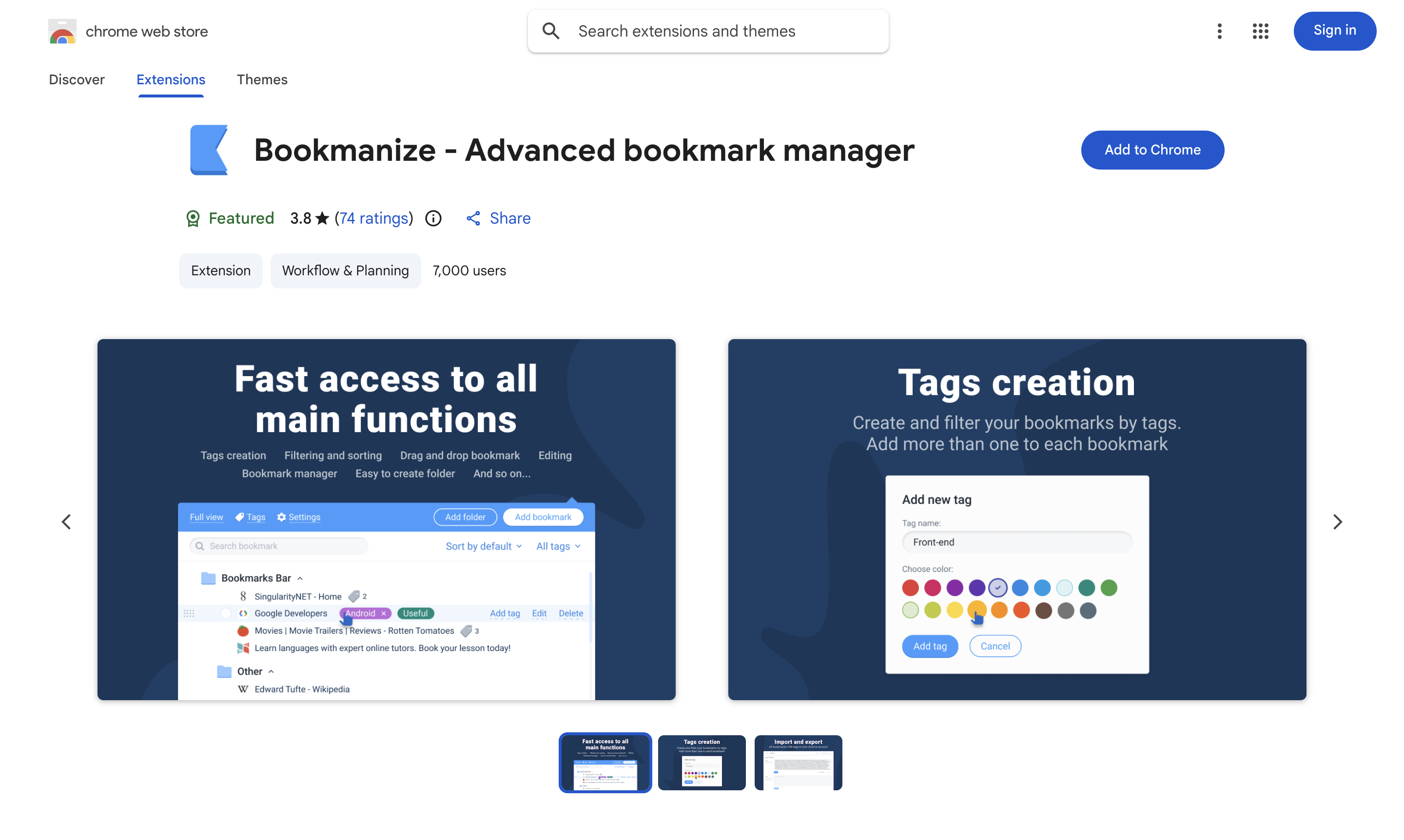
Bookmanize is what Chrome’s native bookmark manager would look like if it had been redesigned in 2024. It treats bookmarks as a database — fast search across titles, URLs, and descriptions; tag everything; bulk operations; keyboard shortcuts that actually work. Unflashy. Quick.
What it does well
- Search is genuinely fast; tag-filtering feels instant on 5,000+ bookmarks
- Bulk edit / bulk delete / bulk re-tag — rare in this category
- Lightweight extension, doesn’t try to be a “second brain”
- Reads from your existing Chrome bookmark tree, so adopting it isn’t a migration
Where it falls short
- No mobile app — Chrome desktop only
- Visual UI is utilitarian; no card view, no thumbnails
- Solo developer; pace of updates is slower than Raindrop’s
Pricing: Free for the core. Premium is a one-time $19 unlock for advanced search + bulk operations.
When this is the right pick: You actually open your bookmark manager and search it — daily, for work. You think of bookmarks as a personal index, not a junk drawer. Bookmanize is faster than Raindrop for that one job and stays out of your way.
4. Chrome’s native bookmark manager — best for small piles
Open chrome://bookmarks. That’s it. No extension. The folder tree, drag-and-drop reorganization, basic search.
What it does well
- Already installed; nothing to learn
- Syncs with your Google account across devices
- Search-by-title works well enough for ~100 items
Where it falls short
- Search is title-and-URL only; you can’t search the content of pages you bookmarked
- The folder tree gets unmanageable past ~300 bookmarks — anyone who’s tried to find one specific thing in
Bookmarks Bar / Misc / Articles / Old / 2023 /knows - Reading List is a separate, hidden feature that behaves differently from bookmarks, and most users don’t know it exists
Pricing: Free.
When this is the right pick: You have under ~200 bookmarks. You can mostly find what you save by skimming the folder you put it in. Adding Raindrop or Bookmanize for that scale is over-tooling. The native manager is honestly fine.
5. Totem — best for X/Twitter bookmarks specifically
Disclosure: we make this one. It’s last on the list because it only solves one slice of the bookmark problem, and we’d rather you pick Raindrop than install Totem if your save pile isn’t X-shaped.
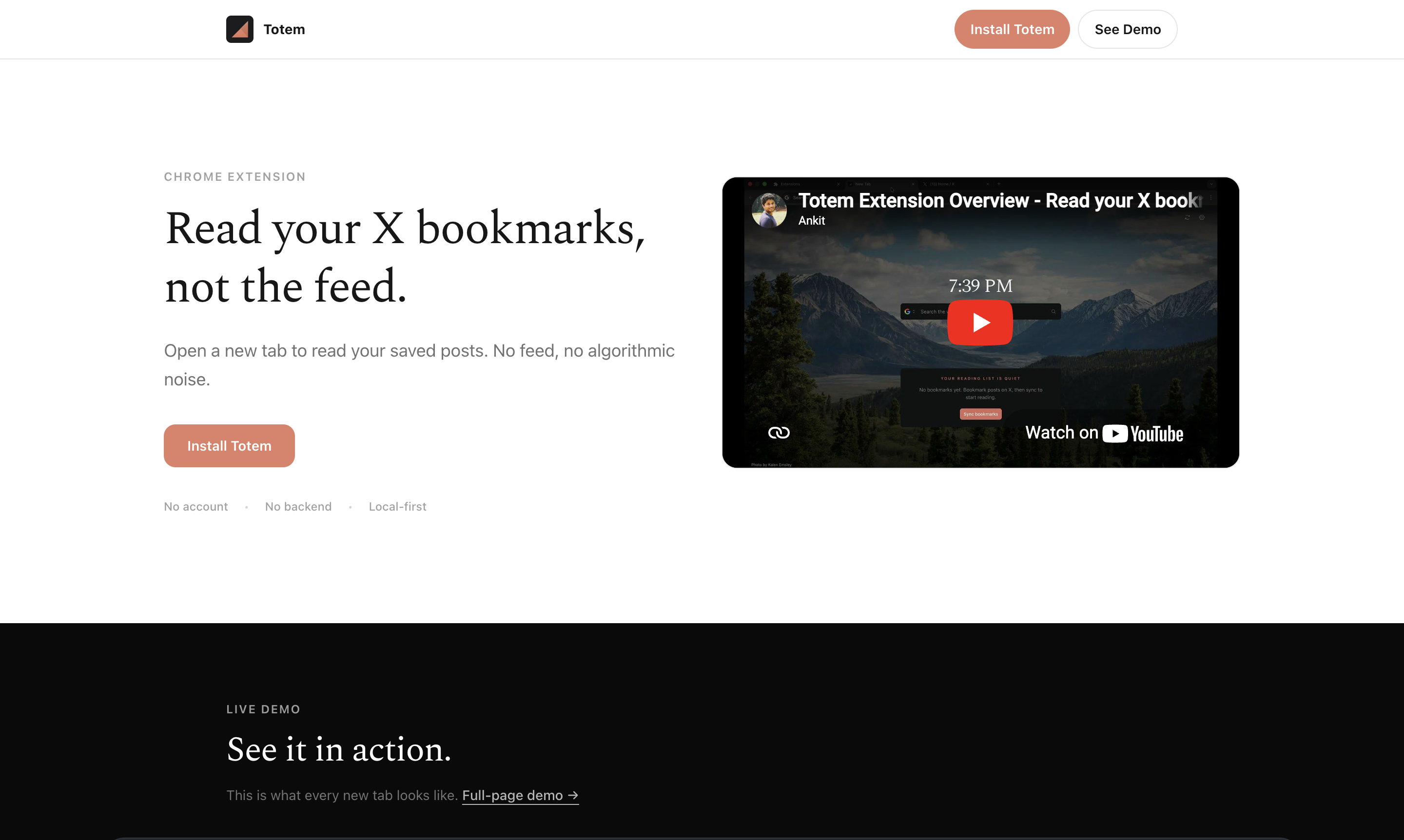
Totem is a Chrome extension that does one thing: it puts your X (Twitter) bookmarks on your new tab page. X publishes no bookmark cap in its help center, and it stores bookmarks as a single, unsorted, reverse-chronological list with no search — so the pile grows unbounded and the structure guarantees you never revisit it. We move that surface to the page you open ~50 times a day.
What it does well
- X bookmarks live on the new tab — you see them every time you open Chrome
- No account, no signup, no server — bookmarks live locally in the browser, which, after two cloud read-later services deleted user data on shutdown, is the difference between a save you keep and one that disappears with someone else’s roadmap
- Captures the full tweet content (text + images), not just the URL — so even if a tweet gets deleted, your saved copy stays
- Free, no Pro tier
Where it falls short
- Only handles X / Twitter bookmarks — not articles, not Stack Overflow, not images from elsewhere on the web
- Chrome only (no Safari, no Firefox yet)
- Doesn’t sync to mobile (yet); the X mobile bookmark tab still works fine for that
Pricing: Free.
When this is the right pick: A meaningful share of what you save lives on X — threads, quote tweets, screenshots-of-tweets you bookmark instead of right-click-saving. You have hundreds or thousands of X bookmarks and you’ve never gone back through them. Totem is the surface that makes you actually read what’s in there. If your save pile is articles and links from across the web, use Raindrop.
Honorable mentions
- Notion Web Clipper — if you already live in Notion, the Web Clipper sends bookmarks straight into a database. Search and filtering inherit from Notion. The capture flow is slow (~2s per save) and reliability is patchy, but if Notion is already your everything-app, the integration cost is zero.
- Eagle — design-focused, $29.95 one-time. Fantastic for visual references, mood boards, screenshots. Overkill if you’re not a designer.
- Are.na — research/curation with a public-by-default ethic. Niche, slow, beautiful. For a different kind of saver entirely.
Honest comparison table
| Tool | Free? | Where it lives | Best for | Mobile? | Account? | Source-of-truth |
|---|---|---|---|---|---|---|
| Raindrop.io | Yes (unlimited) | Web app + Chrome + iOS + Android | Mixed pile, want sync | Yes | Yes | Their server (synced) |
| Toby | Yes (60 tabs) | Chrome new tab | Tab-cluster saving | No | Yes | Their server |
| Bookmanize | Yes (premium $19) | Chrome only | Power-user filing | No | No | Your Chrome bookmarks |
| Chrome native | Yes | Chrome | Under ~200 saves | Yes (Chrome mobile) | Chrome sync | |
| Totem (ours) | Yes, free forever | Chrome new tab | X / Twitter bookmarks | No (yet) | No | Local browser |
| Notion Web Clipper | Free w/ Notion | Notion app | Already in Notion | Yes | Yes | Notion |
| Eagle | Trial; $29.95 one-time | Mac / Windows app | Design references | No | No | Local (your machine) |
The Bottom Line
Pick by what you save, not by what ranks #1:
- Most people: Raindrop.io. Free, mixed-pile, syncs.
- Tab clusters: Toby. Project-shaped saving.
- Searching daily: Bookmanize. The power-user filer.
- Small pile: native Chrome. Don’t over-tool.
- X / Twitter: Totem. Disclosure: we make it. Use it if your bookmarks are on X.
The deeper truth, since we’re being honest: most bookmark managers compete on filing — tags, folders, search, sync. The actual problem most people have is that what they save lives somewhere they never go back to. That’s why the best Chrome bookmark manager for you depends less on which one has the best tag system, and more on whether you’ll actually open the page you saved.
If you’ve installed and abandoned three bookmark managers already, the answer probably isn’t a fourth one. The answer is putting what you save somewhere you can’t avoid looking at it. That’s the same idea, regardless of tool.
It generalizes because the failure mode is identical everywhere: a single unsorted, unsearchable list you never scroll back through. X bookmarks are one. Reddit’s saved-posts tab is another. The Chrome folder tree, once it’s past a few hundred items, is a third. The fix is never a fifth tool — it’s surfacing one of those lists somewhere your eyes already go.